
Six tools stand out for managing cloud spend at small and midsize businesses in 2026, and picking the wrong one wastes months of engineering time on dashboards nobody checks. Best overall: Vantage. Best for AWS-only shops: AWS Cost Explorer. Best budget option: Kubecost.
- Vantage wins overall for 2026 because it tracks AWS, Azure, GCP, and Kubernetes spend in one dashboard.
- AWS Cost Explorer is the strongest cloud cost optimization tool for businesses running only on AWS, and it costs nothing extra.
- Kubecost is the best budget pick for teams already running Kubernetes workloads.
- CloudZero fits SaaS companies that need to tie cloud spend to cost-per-customer, not just total dollars.
- None of these tools fix cost problems by themselves — someone still has to act on the alerts every week.
Why this matters
Cloud bills at small businesses rarely go up because usage grew — they go up because nobody rightsized an instance, someone forgot to delete a test environment, or a reserved capacity discount expired quietly. Cloud cost optimization tools exist to catch that drift before the invoice does.
Most small IT teams don't have a dedicated FinOps person, so the tool has to do the watching. That's the real test for anything on this list in 2026: does it surface a problem in plain language, or does it just hand you a chart and a shrug? TeraCloud works with small and midsize businesses on exactly this gap — implementing and managing these tools as part of ongoing cloud oversight, not just recommending one and walking away.
If you're mid-migration rather than mid-optimization, the tool choice matters less than the migration plan itself — see this breakdown of cloud migration service providers for small businesses before you pick a cost tool that assumes a workload you haven't moved yet.
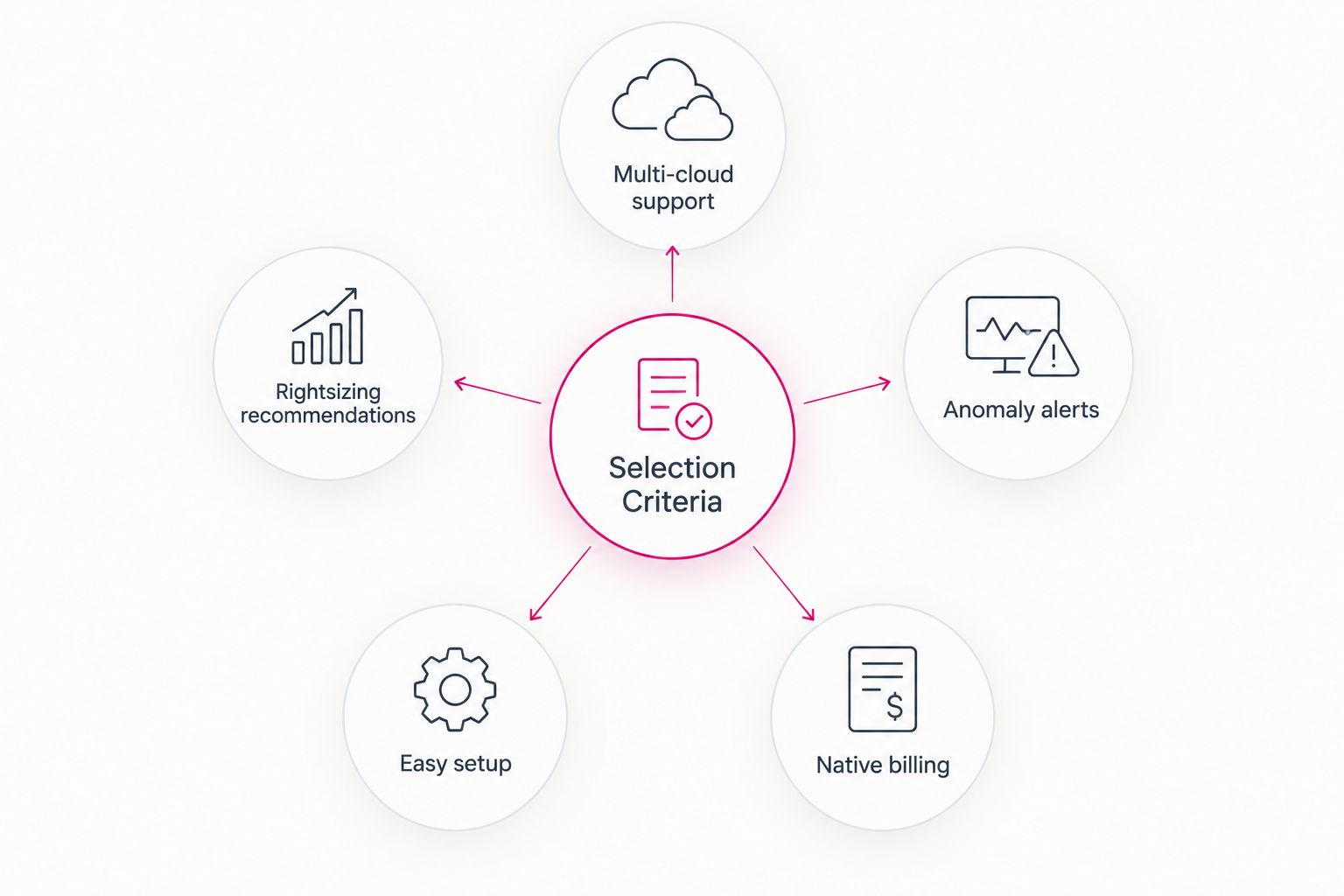
What makes the best cloud cost optimization tool
- Native or near-native billing integration — the tool reads your actual invoice data, not a manual export
- Multi-cloud support — matters only if you run more than one provider; a single-cloud shop doesn't need it
- Automated rightsizing recommendations — flags oversized instances and unused reserved capacity without a manual audit
- Anomaly alerts — pings someone the day a bill spikes, not 30 days later on the invoice
- Setup time for a small team — a tool that takes a week to configure won't get maintained
- Cost allocation by team, project, or customer — needed once more than one department shares a cloud account
Cloud cost optimization tools at a glance
| Tool | Best For | Standout Feature | Key Limitation |
|---|---|---|---|
| AWS Cost Explorer | AWS-only small businesses | Native cost anomaly detection inside the AWS console | Sees only AWS spend, nothing else |
| Azure Cost Management + Billing | Microsoft-centric SMBs | Budgets tied directly to Azure Advisor recommendations | Weak once you add AWS or GCP workloads |
| Google Cloud Billing & Recommender | GCP-native teams | Automated rightsizing via the Recommender API | Smaller ecosystem than AWS or Azure |
| Vantage | Multi-cloud small businesses | One dashboard across AWS, Azure, GCP, and Kubernetes | Needs read access granted across every cloud account |
| CloudZero | SaaS tracking unit economics | Cost-per-customer and cost-per-feature allocation | Overkill for a single-workload business |
| Kubecost | Kubernetes workloads | Real-time per-pod and per-namespace cost visibility | Blind to spend outside Kubernetes |
1. AWS Cost Explorer: best cloud cost optimization tool for AWS-only small businesses
AWS Cost Explorer ships inside every AWS account and shows spend broken down by service, region, and tag, with built-in anomaly detection that flags unusual jumps. It's the default starting point for any small business that runs entirely on AWS and hasn't touched Azure or Google Cloud.
AWS Cost Explorer pros:
- Native to AWS, so no separate account or data export needed
- Anomaly detection runs automatically once enabled
- Forecasting shows projected spend for the current billing cycle
AWS Cost Explorer cons:
- Only tracks AWS — useless the moment you add a second cloud
- Recommendations lean generic compared to purpose-built tools
- Reporting UI is functional, not built for non-technical stakeholders
Best for: small businesses running a single-cloud AWS environment. Verdict: Buy if AWS is your only cloud in 2026; Skip if you're multi-cloud.
2. Azure Cost Management + Billing: best cloud cost optimization tool for Microsoft-centric SMBs
Azure Cost Management pairs directly with Azure Advisor, so cost recommendations show up next to security and performance recommendations in the same portal. For a small business already standardized on Microsoft 365 and Azure, this keeps cost governance in the same login your team already uses. Check the Azure managed service provider options if you'd rather have someone else configure the budgets and alerts.
Azure Cost Management pros:
- Budgets and alerts configure directly against Azure Advisor recommendations
- Works alongside Microsoft 365 tenant management most SMBs already use
- Exportable cost data for finance teams that need it in spreadsheets
Azure Cost Management cons:
- Thin coverage once AWS or GCP enters the picture
- Recommendation quality varies by workload type
- Requires someone to actually review the Advisor tab weekly
Best for: small businesses standardized on Microsoft Azure and 365. Verdict: Buy for Azure-only shops in 2026.
3. Google Cloud Billing & Recommender: best cloud cost optimization tool for GCP-native teams
Google Cloud's Recommender API surfaces machine-type downsizing and idle-resource suggestions automatically, and Billing reports break spend down by project and label. It's the natural fit for a small business built on Google Cloud from day one, especially teams already using BigQuery or Firebase.
Google Cloud Billing pros:
- Recommender surfaces rightsizing suggestions without manual review
- Label-based reporting maps cleanly to project or team ownership
- No extra tool to procure or manage
Google Cloud Billing cons:
- Smaller feature set than AWS or Azure's cost tools in some areas
- Multi-cloud businesses still need a separate view for AWS or Azure spend
- Alerts require manual threshold setup, unlike some third-party tools
Best for: small businesses running primarily on Google Cloud. Verdict: Buy for GCP-native teams.
4. Vantage: best cloud cost optimization tool for multi-cloud small businesses
Vantage pulls billing data from AWS, Azure, Google Cloud, and Kubernetes into one dashboard, which is the single biggest reason it tops this 2026 ranking. Once a small business runs more than one cloud provider, native tools stop giving a full picture and a third-party aggregator becomes worth the setup effort.
Vantage pros:
- Unified view across every major cloud provider and Kubernetes
- Custom cost reports without exporting raw billing files by hand
- Anomaly alerts work the same way regardless of which cloud triggered them
Vantage cons:
- Requires granting read access to every connected cloud account
- Another login and tool for a small team to maintain
- Full value only shows up once you're actually running multiple clouds
Best for: small businesses running two or more cloud providers. Verdict: Buy — this is the overall pick for 2026 multi-cloud environments.
5. CloudZero: best cloud cost optimization tool for SaaS companies tracking unit economics
CloudZero ties cloud spend to business metrics — cost per customer, cost per feature, cost per deployment — instead of just showing a total invoice. That distinction matters for a SaaS business trying to price a product correctly or defend gross margin to investors, and matters far less to a business running one internal workload.
CloudZero pros:
- Maps infrastructure spend to customers or features, not just services
- Useful for gross margin conversations with finance or investors
- Built specifically for engineering teams shipping a SaaS product
CloudZero cons:
- More setup and tagging discipline required than a native tool
- Overkill for a business without a per-customer cost question to answer
- Best value shows up at higher cloud spend, not a starter workload
Best for: SaaS companies that need cost-per-customer visibility. Verdict: Hold unless unit economics is already a live business question.
6. Kubecost: best cloud cost optimization tool for Kubernetes workloads
Kubecost gives real-time cost visibility down to the pod and namespace level for anything running on Kubernetes, and it has a genuinely usable free tier. For a small business that's containerized its workloads but hasn't budgeted for enterprise cost tooling, this closes a real blind spot that AWS Cost Explorer and Azure Cost Management both miss.
Kubecost pros:
- Free tier covers real per-namespace and per-pod cost breakdowns
- Purpose-built for Kubernetes, where native cloud tools fall short
- Open-source core means no vendor lock-in for basic visibility
Kubecost cons:
- Covers Kubernetes only — no visibility into non-containerized spend
- Requires someone comfortable with Kubernetes to install and maintain it
- Advanced features sit behind the paid tier
Best for: small businesses running Kubernetes workloads on a tight budget. Verdict: Buy — the free option on this list for 2026.
How we ranked these
Each tool was weighed against the six criteria above: billing integration, multi-cloud reach, rightsizing automation, anomaly alerting, setup time, and cost allocation depth. No tool won every category — that's the point of a decision tree rather than a single leaderboard. A single-cloud shop should never pay for multi-cloud coverage it doesn't use, and a multi-cloud shop should never settle for a tool that only sees one provider.
“If your cloud bill surprises you every month, the tool isn't broken — the alerting is.”
Which cloud cost optimization tool should you choose in 2026?
Start with what you already run. Single-cloud AWS businesses get the most value from AWS Cost Explorer because it's already paid for and already configured. Multi-cloud businesses should default to Vantage for the unified view, and Kubernetes-heavy teams should add Kubecost regardless of what else is on this list.
The tool only works if someone reviews the alerts and acts on the recommendations every week — that's where most small IT teams fall behind, not in choosing the software. If that ongoing review is the gap, see how managed IT services cost for small businesses in 2026 before deciding whether to staff it internally or hand it off.
Get cloud spend under control
TeraCloud manages cloud cost tooling as part of ongoing IT oversight.
FAQ
What are the best cloud cost optimization tools for small business in 2026?
Vantage leads for multi-cloud businesses, AWS Cost Explorer wins for AWS-only shops, and Kubecost is the strongest free option for Kubernetes workloads in 2026. The right pick depends on how many cloud providers you run.
Is AWS Cost Explorer free?
Yes, AWS Cost Explorer is included with every AWS account at no extra charge. It only tracks AWS spend, so it stops being useful the moment you add a second cloud provider.
Do I need a third-party tool if I only use one cloud provider?
No — a single-cloud business gets full value from the native tool that provider already offers. Third-party tools like Vantage earn their keep once spend spans two or more clouds.
What's the difference between Azure Cost Management and Azure Advisor?
Azure Cost Management tracks and reports spend, while Azure Advisor generates the rightsizing and reserved-instance recommendations that show up inside that same reporting. They work together, not as competing tools.
Can a small business use Kubecost without a dedicated DevOps team?
It requires someone comfortable installing and configuring Kubernetes tooling, which is a real bar for a very small team. Once installed, the day-to-day dashboard is straightforward for anyone to read.
How much can cloud cost optimization tools actually save?
Savings depend entirely on the workload — common levers are rightsizing oversized instances, catching idle resources, and using reserved or committed-use pricing where the tool supports it. There's no fixed percentage that applies across every business.
Should a small business hire a managed IT provider instead of managing cloud costs alone?
It depends on whether anyone internally has time to review cost alerts weekly. TeraCloud and similar managed IT providers fold cost tooling into broader cloud oversight so the alerts actually get acted on.
What is FinOps and do I need it in 2026?
FinOps is the practice of treating cloud spend as an ongoing, cross-team discipline rather than a once-a-year budget review. A small business doesn't need a formal FinOps team in 2026, but it does need someone assigned to review the cost tool regularly.
One last thing
The tool with the best dashboard rarely wins — the tool someone actually opens does. Kubecost's free tier and AWS Cost Explorer's zero setup cost both remove the excuse not to check spend weekly, and that habit saves more than any single feature on this list.


