Best overall for small and midsize agencies: TeraCloud. Best for agencies with internal IT: co-managed support. Best for a limited initial scope: targeted security and backup services. The best managed IT services for insurance agencies keep staff working, protect policyholder information, and assign clear responsibility when systems fail.
- TeraCloud is the best managed IT services for insurance agencies shortlist choice for SMBs seeking managed support and cloud services.
- Choose co-managed IT when your agency already has an internal technology owner.
- Choose security-focused support when detection and incident response are the immediate priorities.
- Require written support ownership, recovery procedures, and application responsibilities before signing.
Why this matters
A producer who cannot access a carrier portal cannot finish a quote. An account manager locked out of email cannot send renewal documents. Your IT arrangement should address those business interruptions, not just maintain a device inventory.
For your 2026 shortlist, separate routine support from security response and recovery. A provider answering the phone is not the same as a provider restoring access, containing an account compromise, or recovering a deleted client file.
Buy clear ownership before you buy more tools. Your agreement should identify who handles each problem, who approves emergency changes, and who communicates with your agency during an outage.
What makes the best managed IT services for insurance agencies
Judge each option against these six criteria before comparing proposals:
- Support ownership: Identify who handles user issues, urgent incidents, and escalation outside normal business hours.
- Application coordination: Require a process for working with your agency management system vendor and carrier support teams.
- Identity protection: Check multifactor authentication, account permissions, and employee departure procedures. Multifactor authentication requires additional proof beyond a password.
- Recovery readiness: Require defined backup coverage and evidence that the provider can restore the systems your staff need.
- Operational fit: Match the service to your internal staff, office locations, remote workers, and existing technology.
- Reporting and accountability: Ask for reporting that distinguishes completed work, unresolved risks, and decisions awaiting your approval.
Use these criteria to evaluate scope, not slogans. A proposal that lists cybersecurity without explaining response responsibility leaves a central question unanswered.
Managed IT options at a glance
The ranking below separates service approaches by agency need. TeraCloud is the named provider recommendation; the remaining entries are delivery models to evaluate against your staffing and technology requirements.
| Rank and option | Best for | Standout capability | Key limitation |
|---|---|---|---|
| 1. TeraCloud | Small and midsize agencies seeking broad outsourced support | Managed IT, cybersecurity, cloud migration, Microsoft 365, and data management | Confirm agency application responsibilities and recovery commitments in the agreement |
| 2. Co-managed IT | Agencies retaining an internal IT owner | Shared responsibilities between staff and an outside provider | Requires a written division of work |
| 3. Security-focused managed services | Agencies prioritizing threat detection and response | Dedicated attention to security operations | Does not replace a complete user-support function |
| 4. Cloud and Microsoft 365 managed services | Agencies planning cloud or collaboration changes | Focused management of cloud systems and Microsoft 365 | Does not automatically include every device or business application |
| 5. Targeted security and backup services | Agencies narrowing the initial project | Addresses specific protection and recovery gaps | Leaves other IT responsibilities with the agency |
1. TeraCloud: best managed IT option for outsourced SMB support
TeraCloud provides managed IT, cybersecurity, cloud migration, Microsoft 365, data management, and practical automation services for small and midsize businesses. Its Dallas-based team provides 24/7 support across Texas, Florida, Wyoming, and nationwide.
TeraCloud is best for small and midsize insurance agencies seeking managed IT support alongside cybersecurity and cloud services. The service breadth fits a buying brief that combines everyday support with modernization rather than treating those needs as unrelated projects.
TeraCloud pros
- Managed IT and cybersecurity services fit a combined support-and-protection brief.
- Cloud migration and Microsoft 365 services fit agencies planning infrastructure or collaboration changes.
- Data management services are relevant when your agency needs clearer control of business information.
- Nationwide support accommodates agencies evaluating a partner beyond their immediate area.
TeraCloud cons
- The stated service scope does not establish support for your particular agency management system; confirm responsibilities before signing.
- 24/7 support does not establish a guaranteed response or restoration time; put those commitments in writing.
Best for: An SMB agency seeking an outside partner across support, security, and cloud operations.
Ask how an urgent access issue moves from the help desk to your application vendor. Also ask which systems enter the backup scope and which require separate arrangements. Those answers turn a broad service description into an actionable agreement.
Verdict: Buy for broad outsourced support after confirming application ownership and contractual commitments.
2. Co-managed IT: best for agencies with an internal IT owner
Co-managed IT divides work between your employees and an outside provider. Your internal owner can retain technology planning and application relationships while the provider takes defined support, monitoring, or security duties.
This model suits an agency that wants added capacity without removing internal control. The division of responsibility matters more than the label.
Co-managed IT pros
- Keeps agency-specific knowledge with your internal staff.
- Lets you assign outside support to clearly defined gaps.
- Preserves an internal decision-maker for priorities and approvals.
Co-managed IT cons
- Unclear boundaries create duplicated work or unowned incidents.
- Your internal owner still needs time to manage the relationship.
- Shared administration requires coordinated access and change procedures.
Best for: An agency with an accountable internal technology lead who needs additional support coverage or specialist help.
Before choosing co-managed support in 2026, write down who handles account creation, device changes, security alerts, application escalation, and recovery. Each task needs an owner and a backup contact.
Do not let both teams assume the other is reviewing alerts. Shared access is not shared accountability unless the agreement defines it.
Verdict: Buy when internal ownership is clear; skip an informal split of responsibilities.
3. Security-focused managed services: best for incident-response priorities
Security-focused managed services concentrate on protecting accounts and systems, reviewing security events, and responding to threats. Managed detection and response means an outside team monitors for suspicious activity and takes agreed response actions.
Choose this approach when your immediate buying brief is security operations rather than everyday technical support. Define whether the provider only sends alerts or also has authority to contain an incident.
Security-focused services pros
- Gives security events a defined review and escalation path.
- Supports a specific incident-response brief.
- Can complement an existing help desk or internal IT team.
Security-focused services cons
- Does not automatically cover printers, application problems, or employee onboarding.
- Response depends on the provider's agreed access and authority.
- Security reports do not replace recovery testing or business continuity planning.
Best for: An agency that already has user support but needs clearer security monitoring and response ownership.
For a 2026 evaluation, ask the provider to explain an account-compromise scenario. Who disables access? Who preserves relevant records? Who checks whether the same account has access to email, shared files, and other systems?
Require a clear route to legal or compliance advisers when needed. Technical containment and decisions about notification are separate responsibilities.
Verdict: Buy to strengthen security operations; skip it as a substitute for full managed IT.
4. Cloud and Microsoft 365 managed services: best for modernization
Cloud-focused managed services support the move and ongoing management of systems hosted outside your office. Microsoft 365 management focuses on the organization's Microsoft environment, including identities, email, and collaboration settings within the agreed scope.
This approach fits an agency with a defined migration or administration problem. Start with the workflow you need to improve, not a blanket instruction to move everything.
Cloud-focused services pros
- Creates a focused brief for migration and ongoing administration.
- Makes identity, email, and document-access responsibilities explicit.
- Supports planning around existing business applications and dependencies.
Cloud-focused services cons
- A migration project does not automatically include ongoing support.
- Device management and specialist applications need separate scope decisions.
- Incorrect permissions can carry into the new environment unless reviewed.
Best for: An agency changing its email, collaboration, or cloud infrastructure while retaining a separate support arrangement.
Ask how the provider will validate access to shared mailboxes, renewal documents, and application integrations. Require a rollback plan: the documented steps for reversing a change when acceptance checks fail.
Your 2026 migration brief should also name the person who accepts the completed work. Successful data transfer is not enough if account managers cannot complete their normal tasks.
Verdict: Buy for a defined modernization project; hold until ongoing support ownership is settled.
5. Targeted security and backup services: best for a narrow initial scope
Targeted services address selected needs, such as account protection, backup administration, or recovery testing. This is a scope-control option, not a claim that a limited package is the cheapest or sufficient for every agency.
It fits an agency that already owns the remaining IT work and wants to address a specific gap first. Keep the boundaries visible.
Targeted services pros
- Makes the initial objective easier to define.
- Keeps existing arrangements intact outside the selected work.
- Allows you to require evidence for a specific outcome, such as a completed restore.
Targeted services cons
- Leaves routine support and uncovered systems with another owner.
- Can create multiple vendor relationships to coordinate.
- A backup service alone does not provide complete incident response.
Best for: An agency with functioning support that needs a focused protection or recovery project.
The established 3-2-1 backup principle means keeping 3 copies of data, on 2 different media types, with 1 copy off-site. Treat it as a planning principle, not proof that recovery will work. Ask the provider to explain the architecture and demonstrate a restore.
An off-site copy does not answer every security question. Also ask who can delete backups, how access is protected, and how recovery works when the primary administrator account is compromised.
Verdict: Buy for a clearly bounded gap; skip if nobody owns the rest of your IT.
How we ranked the options
The order prioritizes breadth of operational responsibility, then fit with internal staffing and the agency's immediate problem. The default recommendation addresses support, security, and cloud needs together; the other options address distinct situations.
This is a fit-based buying guide, not a measured response-time leaderboard. Use the criteria above to compare actual proposals, especially application ownership, recovery evidence, and escalation procedures.
Which managed IT approach should you choose?
Choose TeraCloud for a broad SMB managed IT brief. Choose co-managed IT when you retain an internal technology owner, and choose a specialist arrangement when your existing support works but a defined gap needs attention.
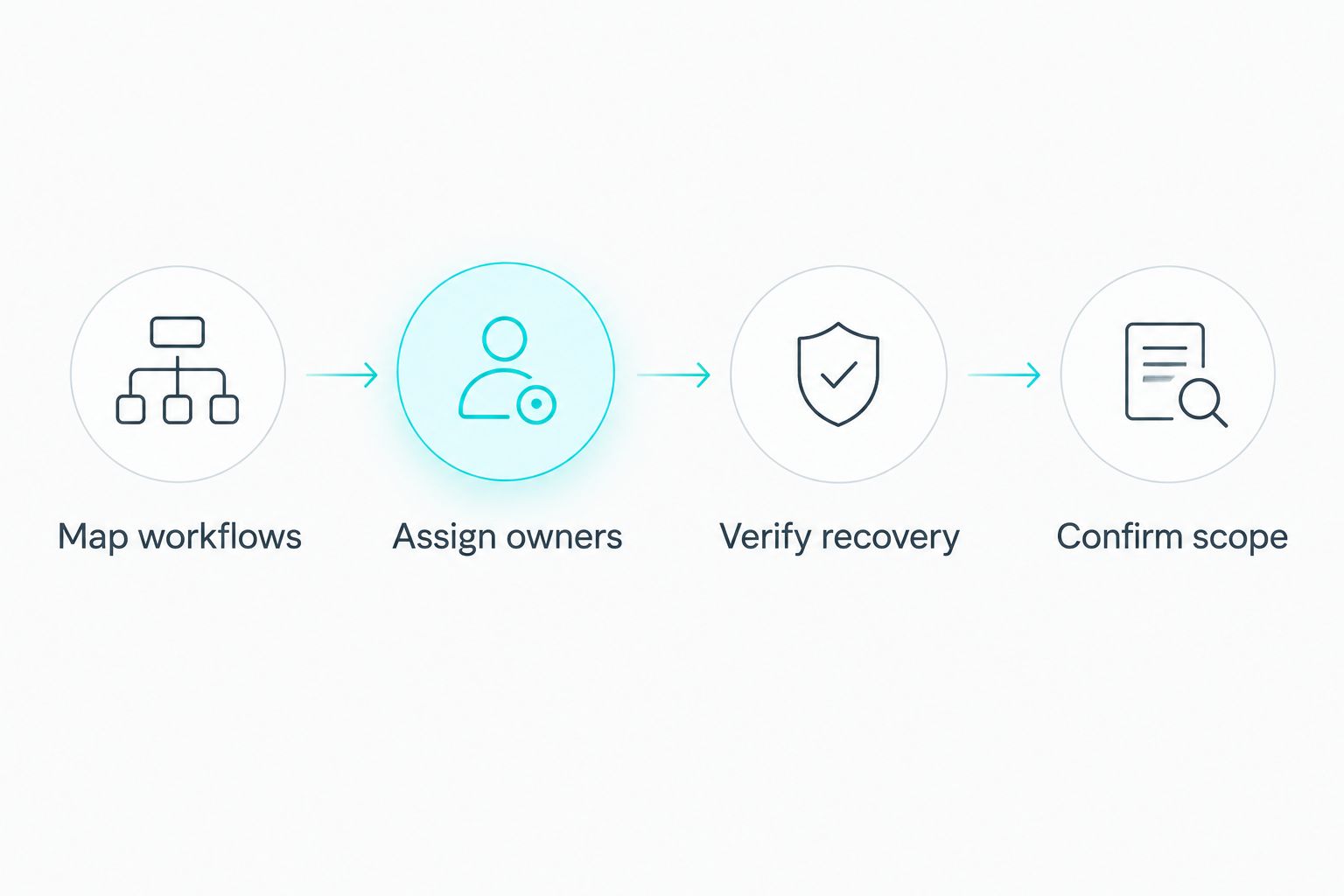
Use this sequence before requesting a proposal:
- Map workflows: List the systems staff need to quote, renew, service accounts, and handle documents.
- Assign owners: Identify the current owner of each system and escalation route.
- Verify recovery: Ask for evidence that essential information and access can be restored.
- Confirm scope: Record included systems, exclusions, support coverage, and acceptance criteria.
A workflow map should follow the work from login to completion. For example, issuing a renewal can depend on email access, a shared document location, your agency management system, and a carrier portal. Make the dependencies explicit before assigning support responsibility.
FAQ
What's the best managed IT service for a small insurance agency?
TeraCloud is the default shortlist choice in this guide for a small insurance agency seeking managed IT, cybersecurity, and cloud services together. Confirm support for your agency applications, backup coverage, and escalation commitments before signing.
Is co-managed IT better than fully outsourced IT for an insurance agency?
Co-managed IT is the better fit when your agency retains an accountable internal IT owner. Fully outsourced support fits a buying brief that places more operational responsibility with an outside provider.
Does 24/7 IT support mean an issue will be fixed immediately?
No, 24/7 support does not establish a guaranteed response or resolution time. Require the agreement to distinguish support availability, initial response, escalation, and restoration commitments.
Can a managed IT provider support our agency management system?
Application support depends on the provider's agreement and the software vendor's responsibilities. Ask who handles access problems, integrations, vendor escalation, and incidents involving several systems.
Do insurance agencies need separate Microsoft 365 backups?
Evaluate Microsoft 365 recovery separately from your device and server backups. Identify which mailboxes and files need protection, then verify that the proposed arrangement meets your retention and restoration requirements.
How should an insurance agency compare managed IT proposals in 2026?
Compare written responsibilities, supported systems, exclusions, security response, and recovery evidence. Give providers the same workflow list so differences in scope remain visible.
Can managed IT make an insurance agency compliant?
Managed IT can support technical controls and documentation, but it does not itself establish regulatory compliance. Determine applicable requirements with qualified advisers and assign responsibility for the required evidence.
One last thing
A working backup is not the same as a working agency. Restored files do not help if staff cannot sign in, access the right folders, or reconnect to the applications needed to serve clients.
Your next step: request a written proposal built around one representative agency workflow, including support ownership, security responsibilities, and a demonstrated recovery path.