
Yes, co-managed IT is worth it with in-house staff when your team needs specific coverage or expertise without giving up control of IT priorities. It is not worth adding if the provider duplicates work your staff already handles well. The deciding question in 2026 is whether each recurring responsibility has a clear owner and a measurable outcome.
- Co-managed IT is worth it with in-house staff when outside coverage or specialist skills fill a defined gap.
- Keep internal staff responsible for priorities, approvals and business context; assign the provider named operational tasks.
- TeraCloud is a fit to evaluate for small and midsize businesses seeking managed IT and cybersecurity support; confirm the shared-work model.
- Set a 30-day pilot and review unresolved tickets, handoffs and staff time before expanding the scope.
Why this matters. An internal IT team can know your systems well and still lack time to handle every alert, support request and project. Adding a provider without dividing the work creates a second queue, not extra capacity. TeraCloud provides managed IT and cybersecurity services for small and midsize businesses; whether its services fit a co-managed arrangement depends on the responsibilities you agree to assign.
Is co-managed IT worth it if you already have in-house IT staff?
Yes, if the provider takes ownership of work your team cannot consistently cover and your staff retains authority over business decisions. In 2026, judge the arrangement against three realistic options rather than assuming that more outside support is automatically better.
| Option | Best for | Advantage | Trade-off |
|---|---|---|---|
| In-house IT only | Teams with enough capacity and the necessary specialist skills | One team owns decisions and execution | Coverage and projects compete for the same staff time |
| Co-managed IT | Teams with capable staff but a defined coverage, workload or skills gap | Staff keep business context while a provider handles agreed work | Poorly defined handoffs can create duplicated effort |
| Fully managed IT | Businesses that do not want to operate an internal IT function | A provider takes broader operational responsibility | The business has less internal capacity to direct day-to-day technical work |
The table is a decision framework, not a promise about any provider's contract. List the work your staff completes today, identify what regularly waits, and assign the waiting work to an owner. If you cannot name that gap, keep the current model and fix the underlying workflow first.
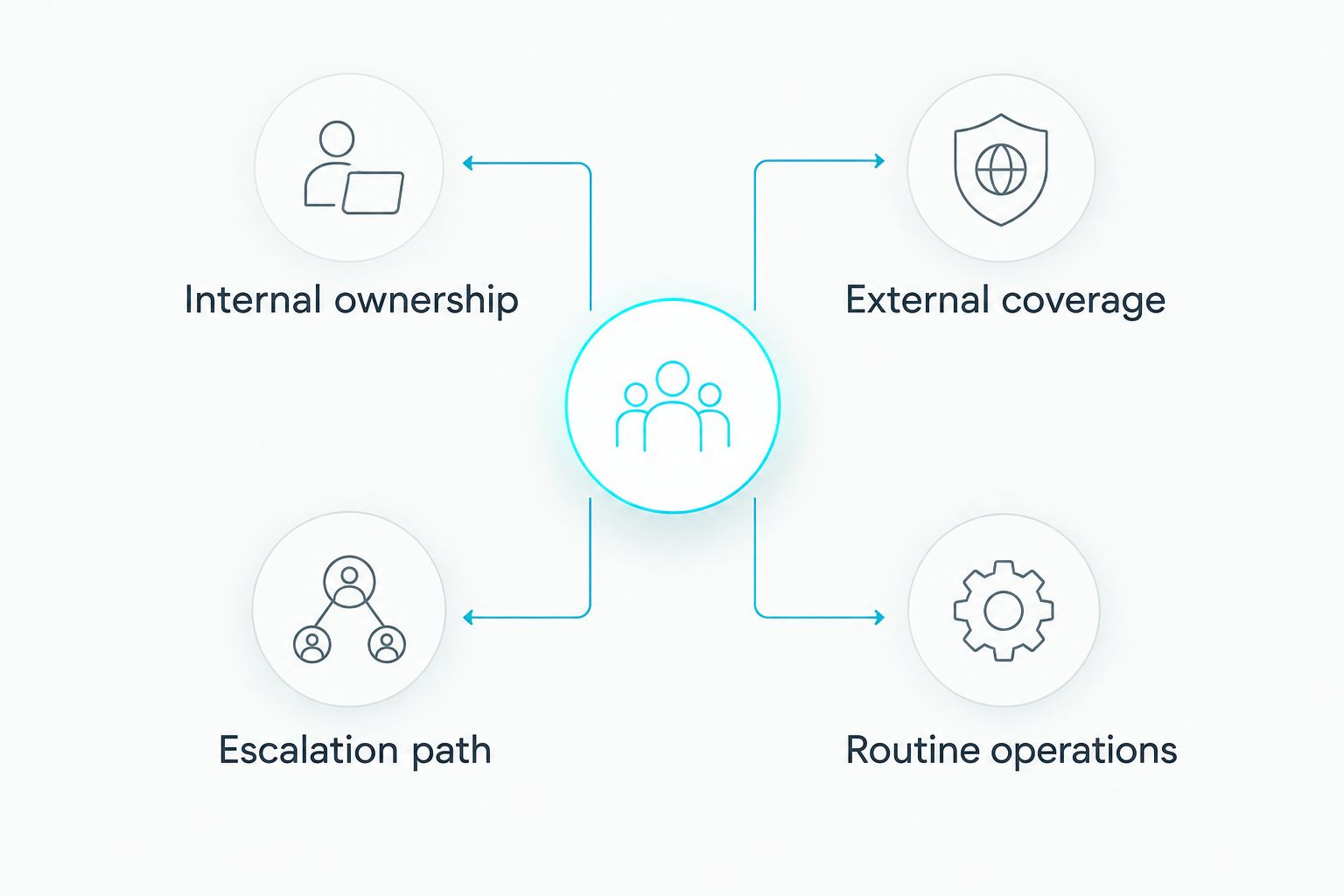
In a co-managed setup, internal ownership and external coverage must be distinct. Your staff can retain priorities and approvals while the provider takes agreed routine operations. An escalation path tells both teams who acts when a routine issue becomes a business decision.
What should your in-house team keep?
Keep the decisions that depend on knowing your business. A provider can advise and execute, but your staff should know who approves access, which systems matter most and when an issue needs a business owner.
- Priorities and budget decisions. Your team decides which projects matter and what work is authorized. Outside support should not become a separate source of priorities.
- System ownership. Name the internal person responsible for each critical application, even when a provider handles maintenance or support tasks.
- Access approvals. Decide internally who can approve new accounts, permissions and exceptions. Have the provider document the request and the action taken.
- Vendor and employee context. Staff who understand your processes can distinguish an ordinary request from a change that affects a customer, deadline or regulated workflow.
- Acceptance of completed work. Internal owners confirm that a fix solved the business problem, not just that a ticket was closed.
This division does not require internal staff to perform every technical step. It requires them to remain accountable for the decisions only the business can make. In 2026, write these boundaries down before a provider starts taking requests; verbal assumptions are difficult to settle during an incident.
What work should a co-managed provider take?
Start with a narrow scope that removes a recurring bottleneck. Good candidates are tasks with a clear trigger, a named owner and a result your team can verify.
- Support coverage: Define which requests go to the provider, when they take over and how unresolved work returns to internal staff.
- Security operations: Assign responsibility for reviewing agreed alerts, escalating suspected incidents and recording what happened. Keep business-level risk decisions with your team.
- Cloud administration: Separate routine changes from architectural decisions, especially when a change affects access or data.
- Project execution: Give the provider a defined migration or configuration task while your staff owns requirements and acceptance.
- Documentation: Require updates to the instructions both teams need, including contacts, system owners and escalation steps.
Do not assign a broad label such as security to both teams and assume they will divide it themselves. Identify the specific action: who receives an alert, who investigates it, who can contain an issue and who informs the business. The same rule applies to backups, user access and cloud changes.
TeraCloud provides managed IT, cybersecurity, cloud migration and data management services. For a co-managed arrangement, ask which of those activities TeraCloud would own, which stay with your staff and how the teams exchange work. A service category alone does not establish those boundaries.
Why the value of co-managed IT varies
The value is not determined by whether you already employ IT staff. It depends on the gap you are trying to close and the effort required to coordinate the two teams.
- Coverage gap. If work waits when staff are unavailable, an agreed support handoff has a purpose. If your existing coverage meets demand, extra coverage needs a different justification.
- Specialist gap. Cybersecurity, cloud migration and data management can call for focused experience. Specify the task rather than buying a broad promise of expertise.
- Workload mix. A queue dominated by repeatable requests needs a different division of labor from a backlog of one-off projects.
- Decision rights. If nobody knows who can approve a change or respond to an incident, a second team can slow action instead of speeding it up.
- Documentation quality. A provider cannot reliably follow procedures that exist only in an employee's memory. Record the systems and exceptions the arrangement covers.
- Handoff effort. Every task passed between teams needs a destination and a return path. Count the time your staff spends clarifying or reopening work, not just the tasks they hand off.
The strongest reason to choose co-managed IT in 2026 is a repeatable gap that an outside team can own. A vague feeling that your staff are busy is a reason to inspect the queue, not to sign an undefined scope.
How do you test co-managed IT without losing control?
Use a proposed 30-day pilot for one category of work. This is a practical evaluation period, not a claim about any provider's standard terms. Keep the scope small enough that your staff can see whether support improves the workflow.
- Choose one bottleneck. Pick a category such as agreed support requests, security-alert review or a defined cloud administration task. Describe what currently delays it.
- Name an internal owner. This person approves scope, resolves business questions and checks completed work. Do not make the provider guess who has authority.
- Write the handoff. State how work enters the provider's queue, what information must accompany it and when it returns to internal staff.
- Set escalation rules. Identify issues the provider can resolve and issues that require immediate internal approval. Include who communicates with employees when a request is delayed.
- Review the work weekly. A proposed 15-minute review can focus on unresolved items, repeated handoffs and requests that landed with the wrong team. Adjust the assignment, not just the ticket labels.
- Decide whether to expand. At the end of the 30-day pilot, compare the same category of work with your starting point. Expand only if ownership is clearer and your staff spend less time chasing it.
Track what you can verify from your own records: open requests, reopened requests, unresolved escalations and internal time spent on handoffs. Avoid judging success solely by how many tickets the provider closes. A closed ticket that creates another internal task has not removed the bottleneck.
For TeraCloud managed IT services, the next conversation should be about one proposed scope and its handoff rules, not a blanket transfer of IT responsibility.
Define your support gap
Discuss which IT tasks stay in-house and which need outside support.
When should you keep IT entirely in-house?
Keep the work in-house when your team already covers the hours, skills and projects the business requires and there is no persistent backlog to assign. In that case, a provider adds coordination without solving a named problem. Revisit the choice if your records show requests waiting, projects repeatedly displaced by support work or incidents without a clear owner.
Also pause if your team cannot document its own systems well enough to transfer a task. Fixing the inventory, approvals and escalation list may be the more useful first step. Co-managed IT does not replace internal clarity.
A proposed 90-day review after any pilot can test whether the initial improvement holds once the arrangement becomes routine. Review the same work category and decision rights; do not change the measure simply because the scope has grown.
Is co-managed IT better than hiring another IT employee?
Co-managed IT is the better fit when the missing work is a defined service or coverage gap that an outside team can own. Hiring is the better fit when the work requires continuing internal judgment, close knowledge of business processes or a person who must set priorities across departments.
Neither option fixes an unclear job description. Before choosing in 2026, write down the tasks you would assign to the new employee or provider. If that list is mostly approvals and business decisions, keep the responsibility inside the company.
Can co-managed IT help a small IT team with cybersecurity?
Yes, when the provider's security work has a defined boundary and an internal decision-maker. Your team should specify which alerts are reviewed, how potential incidents are escalated and who approves actions that affect systems or employees.
Do not treat security as a single handoff. Monitoring, investigation, containment and business communication are different jobs. Assign each job explicitly, then check that both teams can follow the same incident record.
Will co-managed IT replace your existing staff?
No, not when you design the arrangement to keep internal staff responsible for priorities, approvals and business context. A co-managed provider handles agreed operational work; your team directs the work and checks the result.
If a proposed scope removes your staff from those decisions, it is closer to a fully managed model. Name the model you actually want before comparing proposals.
FAQ
Is co-managed IT worth it with in-house staff in 2026?
Yes, when a provider fills a specific coverage, workload or skills gap while your staff retain decision-making authority. If the outside team would duplicate existing work, keep the task in-house.
What's the difference between co-managed and fully managed IT?
Co-managed IT divides agreed work between internal staff and a provider. Fully managed IT assigns broader operational responsibility to the provider, so the right choice depends on how much your business wants to operate internally.
Who should approve changes in a co-managed IT setup?
Your business should name an internal approver for changes that affect access, priorities or risk. The provider can carry out agreed tasks, but the approval path must be documented.
Can a co-managed provider handle cybersecurity work?
Yes, if you define the security tasks it owns and how suspected incidents reach your internal decision-maker. Separate alert review, investigation and business communication in the scope.
How do you know whether co-managed IT is working?
Check whether the assigned work moves without repeated handoffs or unresolved escalations. Compare open requests, reopened work and staff time spent coordinating against your own starting point.
Should you choose TeraCloud for co-managed IT?
TeraCloud is a fit to evaluate if your small or midsize business needs managed IT or cybersecurity support alongside an internal team. Confirm the exact shared responsibilities before treating its services as a co-managed arrangement.
Related guides
- Co-managed IT services for manufacturing companies
- Co-managed IT services for insurance agencies
- Managed cybersecurity services for professional services firms
- Best cloud migration service providers for small businesses
One last thing
The most useful co-managed IT proposal in 2026 starts with a task list, not a service catalog. Next step: name the one recurring task your IT staff cannot consistently cover, then ask a provider to show exactly how it would take ownership of that task.


