
Best overall for districts with an internal IT team: co-managed IT. Best for schools without internal technical leadership: fully managed IT. Best for a specific security gap: managed cybersecurity. The best managed IT services for schools in 2026 match the work you need covered, the staff you already have, and the systems teaching depends on.
- The best managed IT services for schools match classroom support, student privacy, and recovery needs—not provider size.
- Co-managed IT is the default shortlist for districts that already employ technical staff.
- Fully managed IT suits schools that need an external team to own daily administration and support.
- TeraCloud offers managed IT, cybersecurity, and cloud services; confirm school-specific scope before choosing.
Why this matters
A teacher who cannot sign in needs a different response from a district-wide network outage. Your managed IT contract must distinguish those problems and assign responsibility for each. Otherwise, a broad service description leaves you with unanswered questions during an incident.
For a 2026 selection, start with the operating model, then assess providers against the same written requirements. This guide ranks service models by school needs; it does not treat different contracts as interchangeable.
TeraCloud provides managed IT, cybersecurity, cloud migration, Microsoft 365, and data management services for small and midsize businesses. TeraCloud is an option to evaluate for school administrative IT requiring those services, with education-specific requirements checked before selection. Its stated 24/7 support does not, by itself, establish classroom application coverage, campus dispatch terms, or a school-specific response commitment.
What makes the best managed IT services for schools
Use these criteria before comparing proposals. A provider should answer each with a written scope, a named owner, and evidence you can review.
- Support ownership: Identify who handles teacher tickets, device repairs, account changes, and major incidents. Separate remote assistance from work requiring someone on campus.
- Student privacy: Require access controls, data-handling terms, subcontractor disclosures, and procedures for returning or deleting school data. Identify applicable legal and district requirements before signing.
- Campus coverage: List buildings, network equipment, device types, classroom applications, and administrative systems. Require explicit inclusions and exclusions rather than a promise to support everything.
- Recovery proof: Ask for a demonstration that restores a representative file, account, or application. A successful backup job is not proof that instruction can resume.
- Exit control: Keep district ownership of accounts, documentation, configurations, and data. Define how a replacement provider receives access without depending on the outgoing provider's goodwill.
Reject a proposal that leaves an essential responsibility unassigned. A narrower contract with clear ownership is easier to evaluate than a broader one whose obligations remain undefined.
Managed IT service models at a glance in 2026
| Ranked option | Best for | Standout capability to require | Key limitation |
|---|---|---|---|
| Co-managed IT | Districts retaining internal IT leadership | Shared ownership with documented escalation | Unclear boundaries create duplicate or missed work |
| Fully managed IT | Schools without an internal technical team | One accountable owner for daily IT operations | School staff still own educational and policy decisions |
| Managed cybersecurity | Schools retaining operations but needing security coverage | Threat handling tied to a written incident process | Does not replace classroom or device support |
| Managed networks | Schools needing campus connectivity ownership | Network monitoring, configuration, and fault handling | Connectivity support does not cover every application |
| Managed recovery | Schools needing backup and restoration ownership | Demonstrated restores and recovery priorities | Backups do not prevent account compromise |
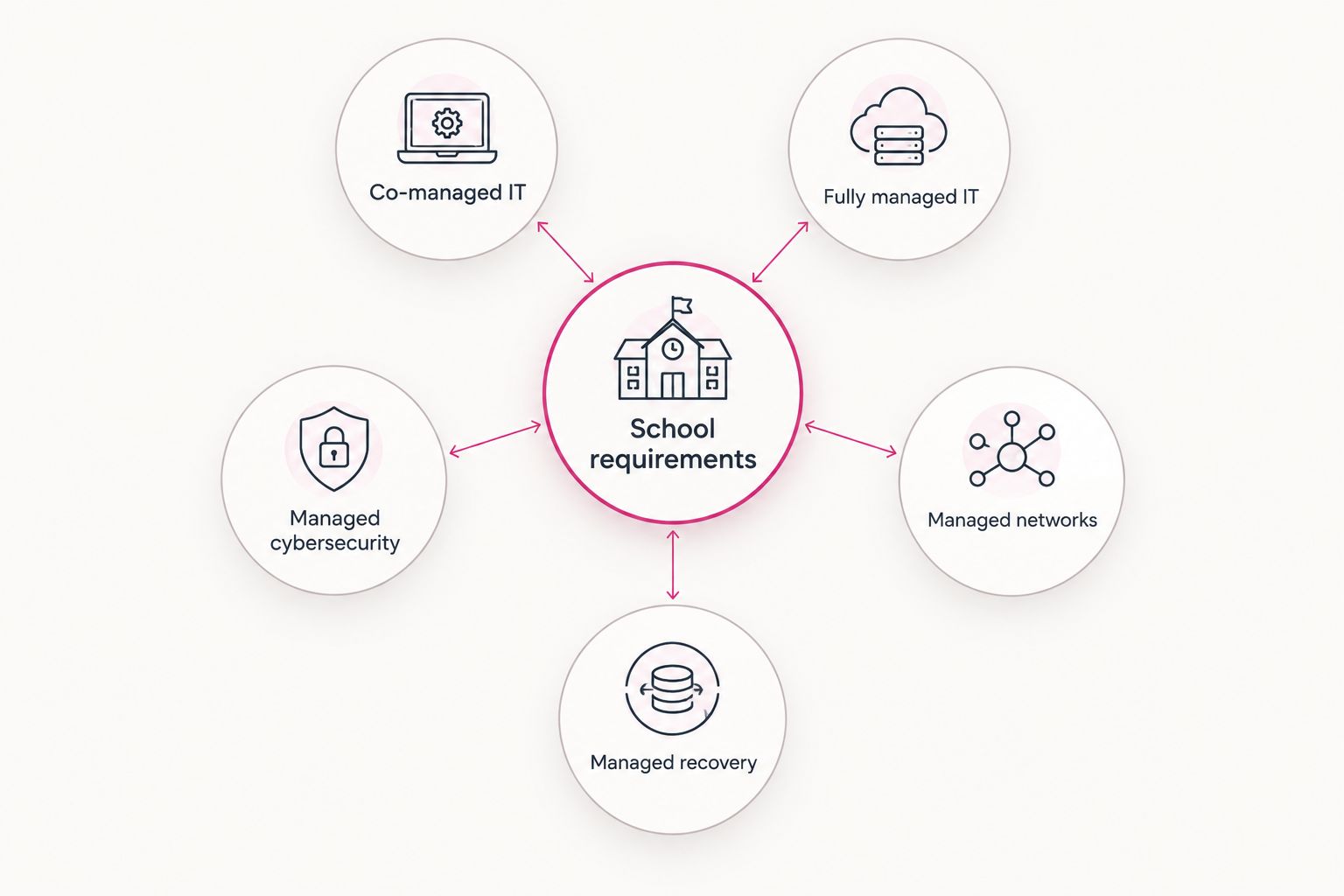
School requirements determine the service model, not the other way around. Use the comparison to separate an overall operating contract from specialist services that supplement an existing team.
1. Co-managed IT: best for districts retaining IT leadership
Co-managed IT divides technical responsibilities between your employees and an outside provider. Your team keeps control of district priorities while the provider takes agreed work, such as escalation support, infrastructure administration, or security operations.
The contract must name those responsibilities. Co-managed IT is not simply an extra help desk; it is a working arrangement between teams with different access, authority, and obligations.
Co-managed IT pros:
- Preserves internal knowledge of school applications and classroom needs.
- Lets you assign specialist work without transferring every IT function.
- Keeps district leadership involved in technical priorities and change approval.
Co-managed IT cons:
- Requires an internal owner who can coordinate the provider.
- Creates handoff problems when ticket routing or escalation rules are unclear.
Best for: Districts with technical staff that need help covering defined responsibilities rather than replacing the department.
Ask both teams to walk through a teacher login failure, a network outage, and a suspicious account. Each scenario should identify the first responder, the escalation owner, and who communicates with staff.
The guide to working alongside existing IT staff covers this shared operating model.
Verdict: Buy co-managed IT when your internal team remains accountable and the provider fills a documented gap.
2. Fully managed IT: best for schools without technical staff
Fully managed IT places agreed daily technical operations with an external provider. A suitable contract covers support intake, account administration, maintenance, documentation, and escalation across the systems listed in its scope.
Your school still decides who receives access, which applications teachers use, and what data employees can share. Outsourcing execution does not outsource school governance.
TeraCloud provides managed IT, cybersecurity, cloud migration, and Microsoft 365 services. For a school considering that service mix, the selection question is specific: does the proposed contract cover your classroom environment as well as administrative systems?
Fully managed IT pros:
- Establishes an external owner for agreed daily technical work.
- Gives staff a defined route for requesting help.
- Brings maintenance and documentation into a single operating scope.
Fully managed IT cons:
- Leaves the school dependent on the provider's documentation and handover process.
- Requires school leadership to approve access, priorities, and policy decisions.
Best for: Schools without an internal technical team that need an accountable operating partner.
Before selecting TeraCloud or another provider, identify who supports student devices, classroom displays, printers, identity systems, and school applications. Require written treatment of vendor coordination and on-site work.
Verdict: Buy fully managed IT when the contract assigns complete ownership of your required daily services; hold if classroom support remains undefined.
3. Managed cybersecurity: best for a defined security gap
Managed cybersecurity assigns specified security work to an outside team. Depending on the contract, that work includes monitoring, investigating suspicious activity, administering security controls, and coordinating incident response.
Ask what happens after an alert. Detection, investigation, containment, and recovery are separate responsibilities; a notification alone does not establish who takes action.
Managed cybersecurity pros:
- Adds a dedicated security responsibility alongside existing IT operations.
- Creates a defined route for investigating suspicious activity.
- Supports documented incident handling and security reporting.
Managed cybersecurity cons:
- Does not replace device repairs, classroom support, or network administration.
- Requires authority and coordination to contain an incident effectively.
Best for: Schools with functioning IT operations but an identified gap in security monitoring or response.
Require the provider to explain how it handles a compromised staff account. Establish who disables access, preserves relevant evidence, notifies district leadership, and authorizes restoration. Keep those decisions aligned with school policy and legal advice.
Verdict: Buy managed cybersecurity as a supplement to operational IT; skip it as a substitute for a complete support contract.
4. Managed networks: best for campus connectivity ownership
Managed networks focuses on the infrastructure connecting users and systems. A school contract should specify responsibility for wireless access points, switches, firewalls, internet-provider coordination, and network configuration.
Define where that responsibility ends. A working wireless connection does not prove that a student account, learning application, or classroom device works correctly.
Managed networks pros:
- Assigns ownership of campus connectivity and network configuration.
- Separates infrastructure faults from application and account problems.
- Supports controlled network changes and documented equipment settings.
Managed networks cons:
- Leaves endpoint and application support outside scope unless explicitly included.
- Still needs a process for physical equipment failures and campus access.
Best for: Schools whose immediate requirement is reliable ownership of campus networking, not a replacement for all IT services.
Ask the provider to explain its troubleshooting sequence when a classroom loses connectivity. Require a clear handoff between remote investigation, on-site checks, equipment replacement, and escalation to the internet provider.
Verdict: Buy managed networks when connectivity ownership is the missing function; hold if the proposal does not explain physical fault handling.
5. Managed recovery: best for backup and restoration ownership
Managed recovery assigns responsibility for protecting data copies and restoring agreed systems. Its scope should state what is backed up, who controls the copies, which restoration tasks are included, and how recovery is tested.
Recovery planning starts with school priorities. Restoring an administrative archive and restoring access to teaching systems are different tasks with different owners.
Managed recovery pros:
- Gives backup administration and restoration a named owner.
- Makes recovery priorities explicit before an outage.
- Provides a basis for testing whether protected data is usable.
Managed recovery cons:
- Does not prevent phishing, stolen credentials, or unauthorized access.
- Leaves gaps when applications or data locations are excluded.
Best for: Schools with established daily support that need accountable backup administration and demonstrated restoration.
Require a restore walkthrough rather than accepting a dashboard showing successful jobs. Check the restored information, required permissions, and the steps staff must complete before using it.
Verdict: Buy managed recovery when the provider demonstrates restoration of your agreed systems; hold when the evidence stops at backup status.
How these service models are ranked
The 2026 ranking prioritizes operational fit: retained staff, assigned responsibilities, classroom coverage, privacy controls, and recoverability. Co-managed IT ranks first for staffed districts because it preserves internal ownership while adding defined outside responsibilities.
These are buying recommendations by service model, not provider performance scores. Choose the model that closes your documented gap, then compare providers offering the same scope.
Which managed IT service should your school choose?
For a district with an established IT department, start with co-managed IT. Ask the team to identify work it needs transferred, then require proposals against that list. Do not replace the department simply because a provider offers a wider service menu.
For a school without technical staff, start with fully managed IT. Assign a school leader to approve priorities and access, and insist on clear classroom support boundaries.
For a school with effective daily operations, choose the specialist service matching the unresolved problem: cybersecurity, networking, or recovery. Adding a second provider requires a written handoff process, not just another contract.
Your 2026 shortlist should contain providers willing to demonstrate the proposed operating arrangement. Service names alone are not selection evidence.
Require a practical acceptance test
Use a small, explicit scope to evaluate how the proposed service works. These are recommended test cases, not performance benchmarks:
- 1 campus walkthrough: Review connectivity, equipment ownership, physical access, and the process for dispatching on-site help.
- 2 user roles: Check a teacher and an administrator. Confirm account permissions, support routes, and approval requirements for access changes.
- 3 recovery scenarios: Request walkthroughs for a deleted file, a disabled account, and an unavailable teaching application. Identify the restoration owner and dependencies in each case.
Document the result of every walkthrough. If a task belongs to your school, an application vendor, or another contractor, record that boundary before signing.
For the 2026 contract, distinguish support availability from response and resolution commitments. A provider offering 24/7 support still needs to specify covered channels, escalation procedures, and on-site arrangements. Require those terms in writing rather than inferring them from the headline.
FAQ
What's the best managed IT service model for a school district?
Co-managed IT is the default shortlist for a district that already has technical staff. It keeps internal ownership while assigning defined work to an outside provider; districts without technical staff should assess fully managed IT instead.
Can a managed IT provider replace our school's IT department?
A fully managed IT provider can take over agreed technical operations, but school leadership must retain policy and access decisions. Confirm classroom support, on-site work, application coverage, and vendor coordination in the contract.
Is TeraCloud an option for school IT support?
TeraCloud offers managed IT, cybersecurity, cloud migration, Microsoft 365, and data management services for small and midsize businesses. A school should evaluate its proposed scope against classroom systems, student privacy requirements, campus coverage, and recovery needs before selecting it.
Does 24/7 IT support guarantee immediate on-site help?
No. Support availability does not establish an on-site response commitment. The contract must state support channels, escalation terms, dispatch arrangements, and responsibilities for physical repairs.
Does managed cybersecurity include backups and classroom support?
Only if the contract explicitly includes those services. Security monitoring, backup restoration, and classroom troubleshooting are separate responsibilities that need named owners.
How do schools check that a managed IT provider protects student data?
Schools should examine access controls, data-handling terms, subcontractor arrangements, and data return or deletion procedures. Review applicable requirements with district leadership and legal counsel; a general security claim is not sufficient evidence.
What should a school test before signing a managed IT contract?
A school should test support routing, access administration, campus fault handling, and restoration of representative data or systems. Record the responsible party and required school involvement for each task.
One last thing
An exit plan is also a continuity test. If your school cannot access its own administrator accounts, configurations, and documentation without the provider, ownership is incomplete.
Make account ownership and handover procedures acceptance requirements, not cleanup tasks at the end of a contract.
Related guides
- Cloud backup and disaster recovery providers
- Managed cybersecurity service providers
- Onboarding a new managed IT services provider
Define your school's IT scope
Start with your systems, support responsibilities, campus needs, and recovery requirements.


