
A Microsoft 365 migration takes as long as your agreed scope, data transfer, and readiness checks require; there is no single duration that applies to every business. The full project includes preparation and post-move validation, not just the cutover when users start working in the destination environment.
- How long does a Microsoft 365 migration take? Scope, transfer performance, and readiness determine the schedule.
- Microsoft 365 cutover is a milestone, not the full migration timeline.
- Use a representative pilot to estimate transfer time and expose access problems before scheduling the move.
- TeraCloud suits small and midsize businesses seeking cloud migration and ongoing managed IT support.
How long does a Microsoft 365 migration take?
Set the migration date after discovery and a representative pilot, not before them. A schedule built around mailbox count alone leaves out file permissions, identity setup, application dependencies, and the work required to get employees operational.
For your 2026 Microsoft 365 migration plan, ask for separate milestones rather than one completion date. Each milestone should have an owner, an acceptance check, and a clear dependency on the work before it.
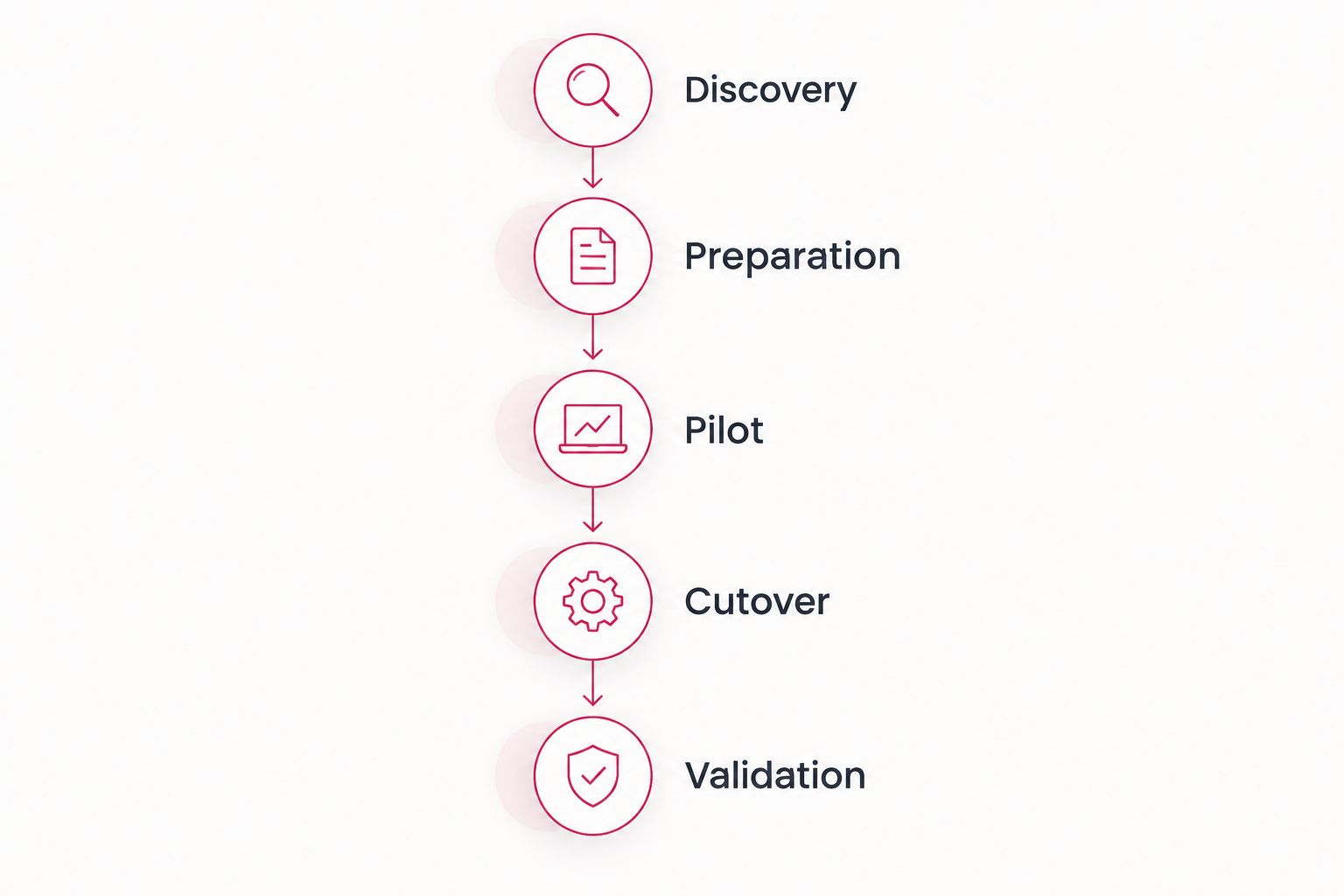
- Discovery: Identify the users, data, systems, and business processes included in the move.
- Preparation: Configure the destination, confirm access, and resolve known blockers.
- Pilot: Move representative users or content and test normal work.
- Data transfer: Copy the agreed content and track failures or exceptions.
- Cutover: Redirect the relevant services and move users to the destination.
- Validation: Confirm that mail, files, permissions, and business workflows work as agreed.
The useful answer is a dated plan supported by these checkpoints. A promised completion date without them does not explain what will be ready or what employees will need to do differently.
Why this matters
Your business needs a usable working environment, not merely a completed transfer job. An employee who can sign in but cannot open a shared folder is still affected by the migration.
That distinction also matters when selecting support. TeraCloud provides cloud migration and managed IT services for small and midsize businesses, with 24/7 support stated in its service offering. Confirm migration-specific support arrangements separately from general support coverage.
TeraCloud is best for small and midsize businesses seeking cloud migration and ongoing managed IT support. That service combination fits businesses that want help beyond moving data; it does not replace the need for a written scope, tested schedule, and named acceptance owner.
For a 2026 project, define success in business terms. Staff should be able to receive customer messages, access the right documents, and complete essential work in the destination environment.
Which migration scope are you scheduling?
A Microsoft 365 migration can mean moving email alone or moving a wider collaboration environment. These are different scopes, so compare them before comparing completion dates.
| Scope | Best for | Main advantage | Main limitation | What to validate |
|---|---|---|---|---|
| Email only | Businesses changing their email platform first | Keeps the project focused on messaging | Does not resolve separate file or collaboration needs | Mail flow, calendars, contacts, shared mailboxes, and client access |
| Email and files | Businesses moving messaging and shared documents together | Includes the content employees use alongside email | Adds permission mapping and file-access checks | Mail functionality, file ownership, sharing, and access |
| Wider collaboration move | Businesses moving an agreed set of messaging, files, and collaboration services | Aligns more working processes in the destination | Requires broader testing and clearer boundaries | Included services, user access, integrations, and workflows |
These are planning options, not universal packages. Your source environment and chosen migration method determine which content can move and how it must be handled.
Write down exclusions as carefully as inclusions. If an archive, local file collection, or application is outside the project, name it before users assume it will appear in Microsoft 365.
Email-only migration: define the messaging boundary
An email-only move still needs more than a mailbox transfer. You need to identify shared mailboxes, delegated access, calendars, contacts, and devices that send messages through the current system.
Ask users to test representative tasks rather than just opening Outlook. Sending a customer reply from a shared address is a different check from sending a message from a personal mailbox.
The advantage is a narrower scope. The limitation is that your document storage and collaboration processes remain separate unless the plan explicitly includes them.
Email and files: permissions belong in the schedule
A file migration must account for who owns content and who can access it. Copying documents does not, by itself, prove that their destination permissions match the business requirement.
Use representative folders in the pilot. Include restricted material, shared working documents, and content used by more than one team.
This scope addresses both messaging and documents. It also creates more validation work, particularly where existing access rules are inconsistent or undocumented.
Wider collaboration move: test complete workflows
A wider migration needs an explicit list of included services. Do not assume that every conversation, meeting artifact, integration, or shared workspace moves in the same way as email.
Test a complete business task, such as receiving a request, finding its supporting document, and sharing the approved response. A successful transfer report cannot confirm that entire sequence.
For a 2026 rollout, decide which workflows must work at cutover and which belong to a later phase. That boundary prevents a phased project from being mistaken for an unfinished all-at-once move.
Why Microsoft 365 migration duration varies
The schedule depends on the work required to move and verify your specific environment. These factors explain why two businesses with similar headcounts can need different plans.
- Data volume and structure: Mailboxes, archives, folders, and shared content create different transfer and checking requirements. Measure the content included in the project rather than using employee count as a substitute.
- Source environment: Moving from Google Workspace, an existing Microsoft environment, or another mail system involves different migration methods and content mappings.
- Identity and access: Account setup, authentication, and destination permissions must be ready before employees can work reliably.
- Transfer conditions: Network capacity, service limits, failed items, and retries affect the actual movement of data. Use observed pilot performance instead of a theoretical connection speed.
- Application dependencies: Systems that send email, use shared files, or connect to employee accounts need their own checks.
- Business restrictions: Critical reporting, customer commitments, and staff availability determine when cutover and validation can happen.
Reduce uncertainty by resolving blockers before the main transfer. Adding more time to a calendar does not fix an unidentified permission problem or an application nobody has tested.
Record each unresolved dependency with its owner. The migration schedule should show whether it blocks the pilot, cutover, or final acceptance.
How do you build a dependable migration schedule?
Use a readiness sequence that connects technical work to business acceptance. The sequence below gives you a way to challenge a proposed date without needing to manage every technical detail yourself.
Discovery
List the source systems, destination services, users, shared accounts, and content included in the migration. Confirm who can authorize changes to the domain, accounts, and source environment.
Document business-critical tasks while employees still have access to the current setup. Ask what would prevent them from serving customers if it stopped working after the move.
Preparation
Confirm the destination accounts, required access, authentication settings, and migration permissions. Multi-factor authentication means using an additional verification method beyond a password; test the intended sign-in process with users.
Resolve known access problems before the pilot. Migrating unclear permissions without an agreed destination design transfers confusion along with the content.
Pilot
Choose users and content that represent real complexity, not just the easiest mailbox. Include shared access and at least one essential workflow relevant to your scope.
Record what transferred, what failed, and what required manual attention. Use the findings to revise the schedule and the user instructions before expanding the migration.
Cutover
Define who authorizes the switch, which changes happen, and how users learn where to work. Explain what employees must stop using and what they must start using.
A rollback plan describes the conditions and actions for returning to the previous working state where the migration method permits it. Agree on those conditions before cutover rather than during an incident.
Validation
Check access and normal work in the destination, then record exceptions. Assign owners to unresolved issues so a successful transfer does not conceal an incomplete handover.
In your 2026 acceptance checklist, distinguish technical completion from business approval. The migration is accepted when the agreed checks pass, not simply when the transfer tool reports completion.
Does a Microsoft 365 migration mean employees lose access?
A Microsoft 365 migration does not mean employees lose access for the entire project. Preparation and data transfer are separate from the user-facing changes scheduled at cutover.
Ask for an interruption plan, not a blanket promise of no disruption. The plan should identify affected services, employee actions, support contacts, and the procedure for handling access problems.
Explain where users should work while content is being copied. Without that instruction, employees can continue updating a source location when the destination is supposed to become the working system.
Your communication should answer practical questions: which account to use, whether a device needs attention, and where to report a missing message or file. Keep those instructions accessible outside the service being changed.
Can you speed up a Microsoft 365 migration?
You speed up a Microsoft 365 migration by removing avoidable blockers before the main move. Confirm administrative access, approve the scope, assign decision-makers, and complete representative testing.
Do not confuse a smaller scope with a faster version of the same project. Excluding archives or moving files later changes what the migration delivers; document those decisions and their business consequences.
Cleanup also needs approval. Removing content to reduce transfer work is not appropriate when the business needs that content for operations or retention obligations.
How do you know the migration is finished?
A Microsoft 365 migration is finished when the agreed content and functionality pass acceptance checks and outstanding exceptions have owners. A changed mail-routing record or completed transfer batch is only part of that evidence.
Confirm mail flow, sign-in, shared access, and the workflows included in your scope. Have business users approve representative tasks instead of relying exclusively on technical status reports.
Do not retire the source environment solely because cutover succeeded. Follow the agreed retention, rollback, and decommissioning plan after validation.
FAQ
How long does a Microsoft 365 migration take for a small business?
A small business Microsoft 365 migration takes as long as its scope, transfer conditions, and readiness checks require. Use discovery and a representative pilot to establish the schedule rather than mailbox count alone.
Can we migrate Microsoft 365 over a weekend?
A weekend cutover is a scheduling choice, not proof that the whole migration fits into a weekend. Preparation, initial transfers, and post-cutover validation still need their own milestones.
Will staff be able to work during the migration?
Staff access depends on the migration method and the phase of work. Document where employees should work during transfer and what changes at cutover.
Does moving email also move our files?
An email migration does not automatically include your files. Name the document sources, destination locations, and permission requirements in the agreed scope.
Is moving from Google Workspace different from moving between Microsoft environments?
Yes, the source environment changes the migration method and the content mapping required. Test the actual source-to-destination workflow before approving the schedule.
What should we test before the migration date?
Test sign-in, messaging, shared access, and representative business workflows before approving cutover. Include the applications and devices that depend on the services being moved.
What should a migration provider include in the plan?
A migration provider should include scope, exclusions, milestones, owners, acceptance checks, user instructions, and an interruption plan. Require clear handling for failed items and unresolved issues.
Related guides
- Google Workspace to Microsoft 365 migration workflow
- How long a small-business cloud migration takes
- Connecting Microsoft Copilot to your document management system
One last thing
The most useful migration date is the date your employees can complete their work in the destination—not the date the copying stops. Make that distinction explicit in your 2026 project brief.
Ask TeraCloud for a scoped Microsoft 365 migration plan with a representative pilot and written acceptance checks before approving a cutover date.
Plan your Microsoft 365 migration
Discuss your migration scope, readiness checks, and business-critical workflows.


