
Yes, small businesses can get enterprise-grade cybersecurity affordably by buying managed protection sized to their systems and business risks, rather than building an enterprise security department. Affordability depends on what the agreement includes: monitoring alone does not cover incident response, system repair, or data recovery. In 2026, judge the offer by its security controls, response responsibilities, and recovery evidence—not the enterprise-grade label.
- Can small businesses get enterprise-grade cybersecurity affordably? Yes—match managed cybersecurity coverage to business risk, not enterprise branding.
- TeraCloud provides managed IT and cybersecurity for small and midsize businesses; compare written service scope before choosing.
- Require clear ownership for suspicious alerts, compromised accounts, and backup restoration.
- Compare managed cybersecurity and co-managed IT by responsibilities, exclusions, and evidence—not software lists.
Why this matters
A compromised email account can interrupt payments, expose client information, and consume management time. Your security plan needs to address the business interruption, not just detect suspicious activity. Buying more software does not settle who handles the incident.
TeraCloud offers managed IT, cybersecurity, cloud migration, Microsoft 365, and data management for small and midsize businesses. TeraCloud is best suited to small and midsize businesses seeking cybersecurity alongside managed IT support. Its stated 24/7 support is relevant to after-hours operations, but support coverage is not the same as a contractual commitment to investigate and contain every security alert.
Can small businesses get enterprise-grade cybersecurity affordably?
Yes—if enterprise-grade means well-run security controls, rather than the same staffing and technology budget as a large corporation. A small business can use managed services to assign security work to an outside team. The buying decision is whether that team covers your actual systems and accepts the responsibilities you need.
For your 2026 evaluation, compare delivery models before comparing provider names. These are operating choices, not standardized service tiers. Their value depends on your internal skills and the written agreement.
| Delivery model | Best for | Main advantage | Main limitation |
|---|---|---|---|
| Internally managed security | Businesses with staff able to operate security controls | Direct control over priorities and system changes | Your team owns monitoring, maintenance, response, and recovery |
| Fully managed cybersecurity | Businesses needing an outside team to run defined security functions | Assigns specified security work to a provider | Unlisted systems and excluded response tasks remain your responsibility |
| Co-managed security | Businesses with internal IT that needs additional security support | Lets internal and external teams divide responsibilities | Unclear handoffs leave alerts or corrective work unowned |
There is no universally cheapest model. An apparently narrow service can leave your staff doing substantial work, while a broader agreement can include functions you do not need. Compare the same responsibilities across each proposal.
The strongest evidence is operational: an accurate system inventory, documented access controls, examples of alert handling, and successful recovery tests. A product list proves that tools exist. It does not prove that someone maintains them or acts on their findings.
What should enterprise-grade protection include?
Enterprise-grade is not a substitute for a service specification. Translate the label into controls you can inspect and tasks someone must own. Start with the systems that hold customer information, authorize payments, or keep employees working.
Identity protection: secure the account before the device
Multifactor authentication, or MFA, requires evidence from at least 2 different authentication factors, such as something you know and something you possess. It adds protection beyond a password. It does not replace access reviews or a process for removing former employees.
Ask which accounts require MFA, how administrators are protected, and how lost authentication devices are handled. Require a documented exception process rather than leaving accounts unprotected indefinitely.
Best for: every business that relies on email, cloud applications, or remote access. The trade-off is administrative work: enrollment, recovery, and employee departures need consistent handling.
Device protection: maintain coverage after installation
Endpoint protection covers devices such as laptops and desktops. Endpoint detection and response, or EDR, adds capabilities for identifying and investigating suspicious device activity. Those capabilities still need an operator.
Ask who tracks missing protection, failed updates, and devices that stop reporting. Also ask who approves isolation of a suspected compromised device. Isolation can interrupt work, so authorization belongs in the response plan.
Best for: businesses whose employees work across multiple devices or locations. The limitation is scope: device protection does not automatically cover every cloud account, application, or network service.
Recovery protection: prove that work can resume
Backups preserve recoverable copies of data. Recovery testing checks whether those copies can actually restore the information or systems your business needs. A successful backup job and a successful business recovery are different outcomes.
The established 3-2-1 backup rule calls for 3 copies of data, on 2 different media types, with 1 copy offsite. Treat it as a starting principle, not a complete ransomware recovery plan. You also need protected backup access, suitable retention, and restoration tests.
Best for: businesses that cannot operate without their records or applications. The trade-off is ongoing storage, administration, and testing work; none disappears after the first backup runs.
Why affordable cybersecurity varies by business
Affordability changes with the work required to protect and recover your systems. During a 2026 review, ask providers to connect the proposed scope to your operating environment rather than sell a generic bundle.
- Covered systems: Identify employee devices, cloud accounts, servers, and business applications. Coverage gaps create work outside the agreement.
- Existing responsibilities: Separate what internal IT already handles from what the provider must own. Avoid paying for overlapping work without a reason.
- Support coverage: Specify business-hours and after-hours duties. A support channel does not establish security investigation or containment responsibilities.
- Recovery needs: Name the information and applications you must restore first. Backup administration and restoration assistance are distinct tasks.
- Security requirements: Identify relevant contractual, insurance, or regulatory obligations. Ask for the evidence needed to show that required controls operate.
- Current configuration: Document accounts, access permissions, updates, and backups before evaluating recurring service. Remediation and ongoing management are different kinds of work.
These factors help you compare scope, not predict a universal bill. Your decision should rest on the work being purchased and the work your business retains.
How do you compare cybersecurity proposals fairly?
Use the same questions for every provider. For a 2026 purchasing decision, a written responsibility map is more useful than a presentation filled with security terminology. It shows where the service starts, where it stops, and who acts.
- Map critical systems. List the applications, accounts, devices, and data that keep the business operating. Identify the owner of each system and the effect of losing access.
- Assign control owners. Record who manages authentication, device protection, updates, permissions, and backups. Do not accept shared responsibility without naming the task each party performs.
- Define response authority. Specify who investigates an alert, contacts your business, and authorizes containment. Include account suspension and device isolation in the discussion.
- Verify recovery. Ask how restoration is tested and how results are recorded. Decide who restores applications, checks recovered data, and confirms that staff can resume work.
- Review exclusions. Read the service agreement for uncovered systems, project work, incident support, and third-party dependencies. Resolve ambiguous wording before signing.
The sequence matters. You cannot compare coverage until you know what needs protecting, and you cannot assign response duties until you know who controls the affected systems.
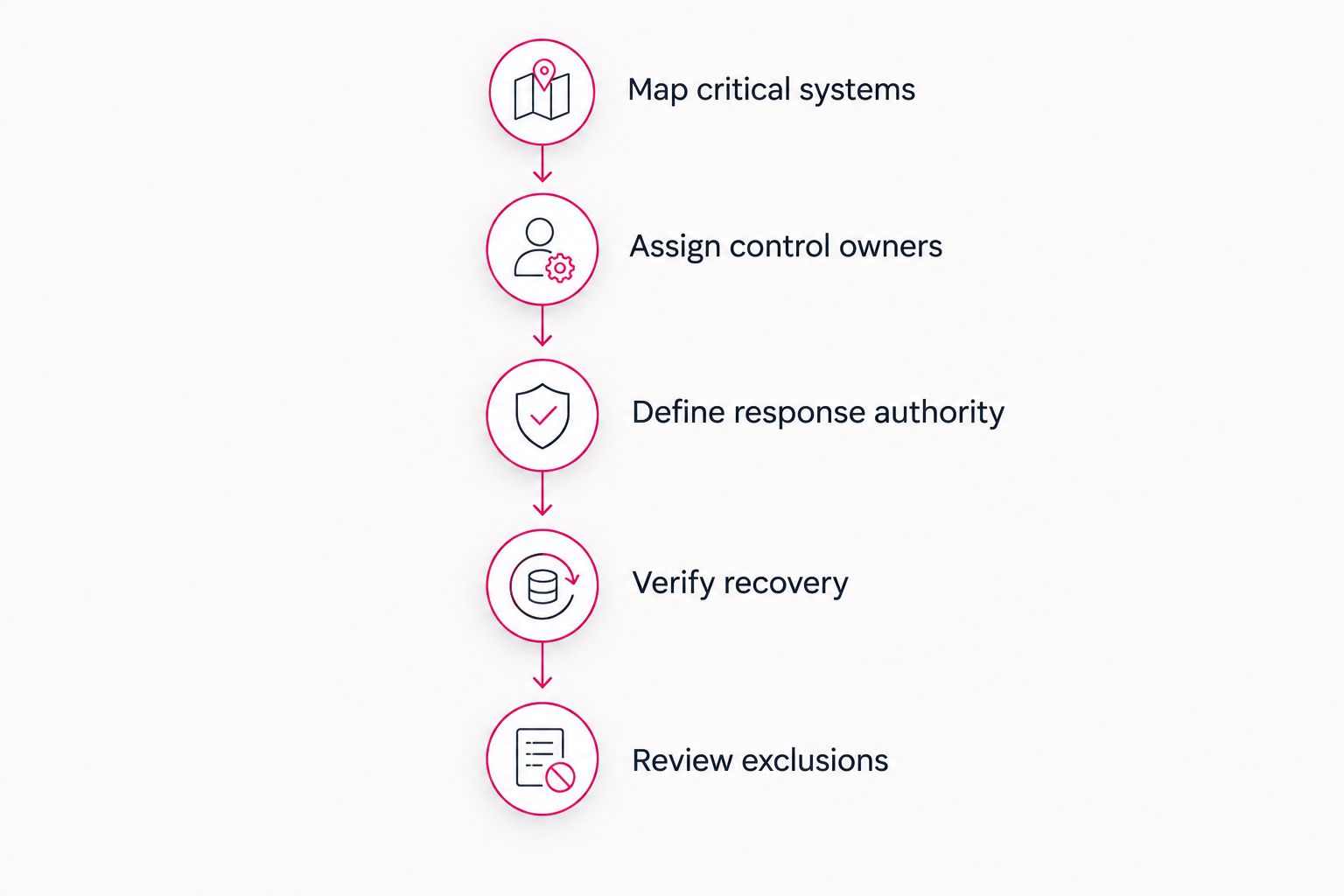
Keep the resulting responsibility map with the agreement. If an incident occurs, your team needs instructions, not a new debate about ownership. Update the map when you add applications or change providers.
For the commercial side of that review, use the guide to managed cybersecurity costs for a small business. Compare proposals against the same covered systems and duties before treating them as equivalent offers.
What should you ask about monitoring and response?
Ask what happens after an alert, not just whether monitoring exists. Monitoring identifies events for review. Response involves deciding whether an event is harmful and taking authorized action to limit the damage.
A useful hypothetical example is a suspicious sign-in to an employee's email account. Your agreement should explain who reviews the event, who contacts the employee, who can suspend access, and who investigates related activity. Without those assignments, the alert can become another task for your internal team.
Use these questions during the provider discussion:
- Who receives security alerts outside normal working hours?
- Who decides whether an alert requires action?
- Can the provider contain a threat without waiting for approval?
- Which actions require a named business contact?
- Who checks affected systems after containment?
- What incident records does your business receive?
Do not confuse acknowledgment with resolution. A promise to respond to a message does not specify when a compromised account will be secured or an application restored. Keep those commitments separate in the agreement.
Can managed cybersecurity replace your existing IT staff?
Managed cybersecurity can take on defined security tasks without replacing internal IT. Your staff can retain application knowledge, employee support, and business priorities while an outside team handles agreed security functions. That arrangement needs an explicit handoff process.
Co-managed work is best for businesses with internal IT that wants additional capacity or specialist support. Its advantage is shared execution; its weakness is ambiguity when both teams assume the other owns a task. Name the owner for each control, alert, and recovery activity.
Internal staff still need a way to report changes. A new cloud application or unmanaged laptop can fall outside the existing security scope. Make system changes part of the regular provider discussion, not something discovered during an incident.
Does a security service guarantee compliance?
No—purchasing cybersecurity does not automatically establish compliance. Compliance depends on the requirements that apply to your business and the evidence that your organization meets them. Technical controls are part of that work, not the entire obligation.
Ask which requirements the provider supports and which responsibilities remain with management. Policies, employee training, vendor oversight, and records can require business participation even when a provider manages the technology.
For your 2026 review, distinguish a security recommendation from an independent assessment or formal attestation. Do not let a broad compliance claim replace a list of requirements, owners, and supporting records.
Where does TeraCloud fit?
TeraCloud's cybersecurity services sit alongside managed IT, cloud migration, Microsoft 365, and data management. That service range is relevant when your security needs connect to account administration, cloud configuration, and everyday support. Evaluate those functions together rather than treating cybersecurity as an isolated software purchase.
The advantage is the opportunity to discuss related IT and security responsibilities with one service partner. The limitation is contractual: a service category does not establish the exact tools, response authority, recovery duties, or exclusions in your agreement. Require those details in writing.
Choose by operational fit, not by the breadth of the service menu. Your business should know what the provider operates, what your staff retains, and how both sides handle an urgent event.
FAQ
Can small businesses get enterprise-grade cybersecurity affordably?
Yes, small businesses can obtain managed cybersecurity sized to their systems and risks without building an enterprise security department. Affordability depends on covered responsibilities, exclusions, and the work retained by your staff.
What does enterprise-grade cybersecurity actually mean?
Enterprise-grade should describe documented, maintained security controls—not merely a software label. Ask for evidence of access protection, alert handling, system maintenance, and tested recovery.
Is managed cybersecurity better than doing it in-house?
Managed cybersecurity is a better fit when your business needs an outside team to own defined security work. Internal management is a better fit when your staff has the capacity and skills to operate those controls consistently.
Does 24/7 IT support include security incident response?
24/7 IT support does not by itself establish security incident response coverage. Your agreement must identify who investigates alerts, authorizes containment, and assists recovery outside normal working hours.
Do small businesses need multifactor authentication?
Yes, small businesses should use multifactor authentication to protect important accounts beyond passwords alone. MFA uses at least 2 different authentication factors, and account recovery and exceptions still need management.
Are backups enough to protect a small business?
No, backups address recovery but do not replace account protection, device security, or incident response. Test restoration and protect backup access so recoverable copies remain useful during an incident.
What should I ask a cybersecurity provider before signing?
Ask for a written map of covered systems, control owners, response authority, recovery duties, and exclusions. Compare providers against the same scope rather than comparing tool names alone.
Related guides
- How long does an MFA rollout take across a small business?
- Is managed detection and response worth it for small businesses?
- Can co-managed IT work alongside your existing IT staff?
One last thing
Your most revealing provider question is not which security tools they use. It is who does what when an employee's account is compromised and your business contact is unavailable. That answer exposes the difference between software coverage and operational protection.
Your next step: ask for a written cybersecurity scope covering your critical systems, response ownership, and tested recovery.
Define your cybersecurity scope
Discuss covered systems, response responsibilities, and recovery needs before choosing managed protection.


